

SIM Swap Instructions - eSIM
Last updated: Jul 03, 2026
167
views

Before You Begin
- Ensure the new device is eSIM compatible.
- Connect the device to Wi-Fi.
- Have access to your My TELUS account.
- Keep your current device available until the transfer is complete.
Steps
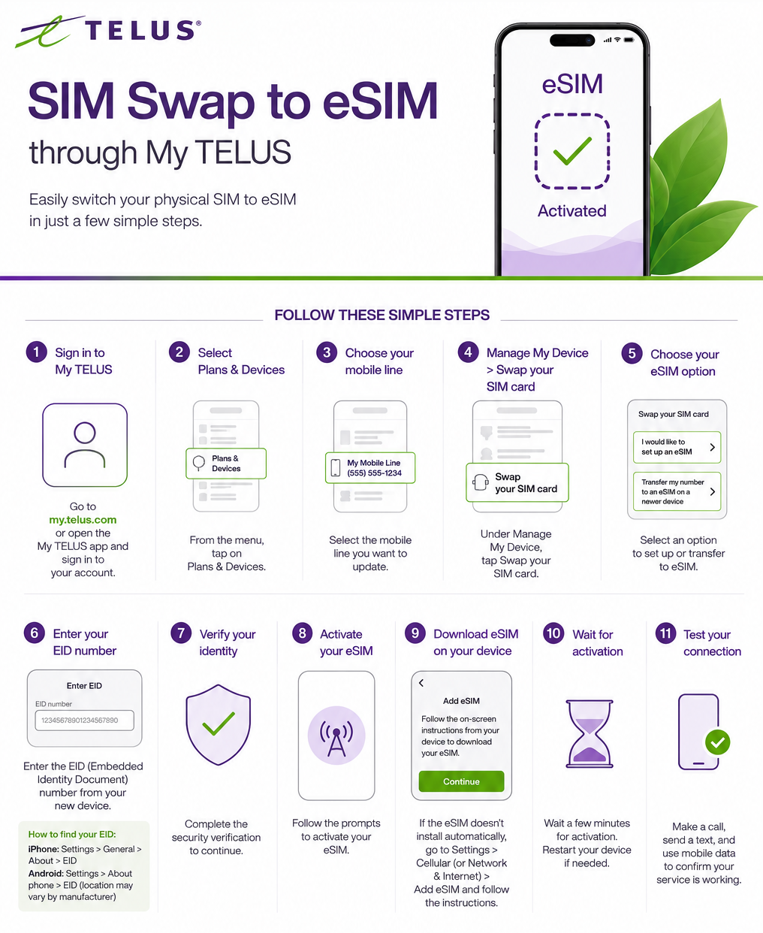
- Sign in to your My TELUS account.
- Select Plans & Devices.
- Choose the mobile line you want to update.
- Under Manage My Device, select Swap your SIM card.
- Select one of the following options:
- I would like to set up an eSIM (for a new eSIM), or
- Transfer my number to an eSIM on a newer device (if available).
- Enter the device's EID (Embedded Identity Document) number when prompted.
- iPhone: Settings → General → About → EID
- Android: Settings → About Phone (location varies by manufacturer) → EID
- Complete the security verification.
- Follow the prompts to activate the eSIM.
- On the new phone, if the eSIM doesn't install automatically:
- Go to Settings → Cellular (or Network & Internet) → Add eSIM.
- Follow the on-screen instructions to download the TELUS eSIM.
- Wait a few minutes for activation. If necessary, restart the device.
- Test:
- Make a phone call.
- Send a text message.
- Verify mobile data is working.

