


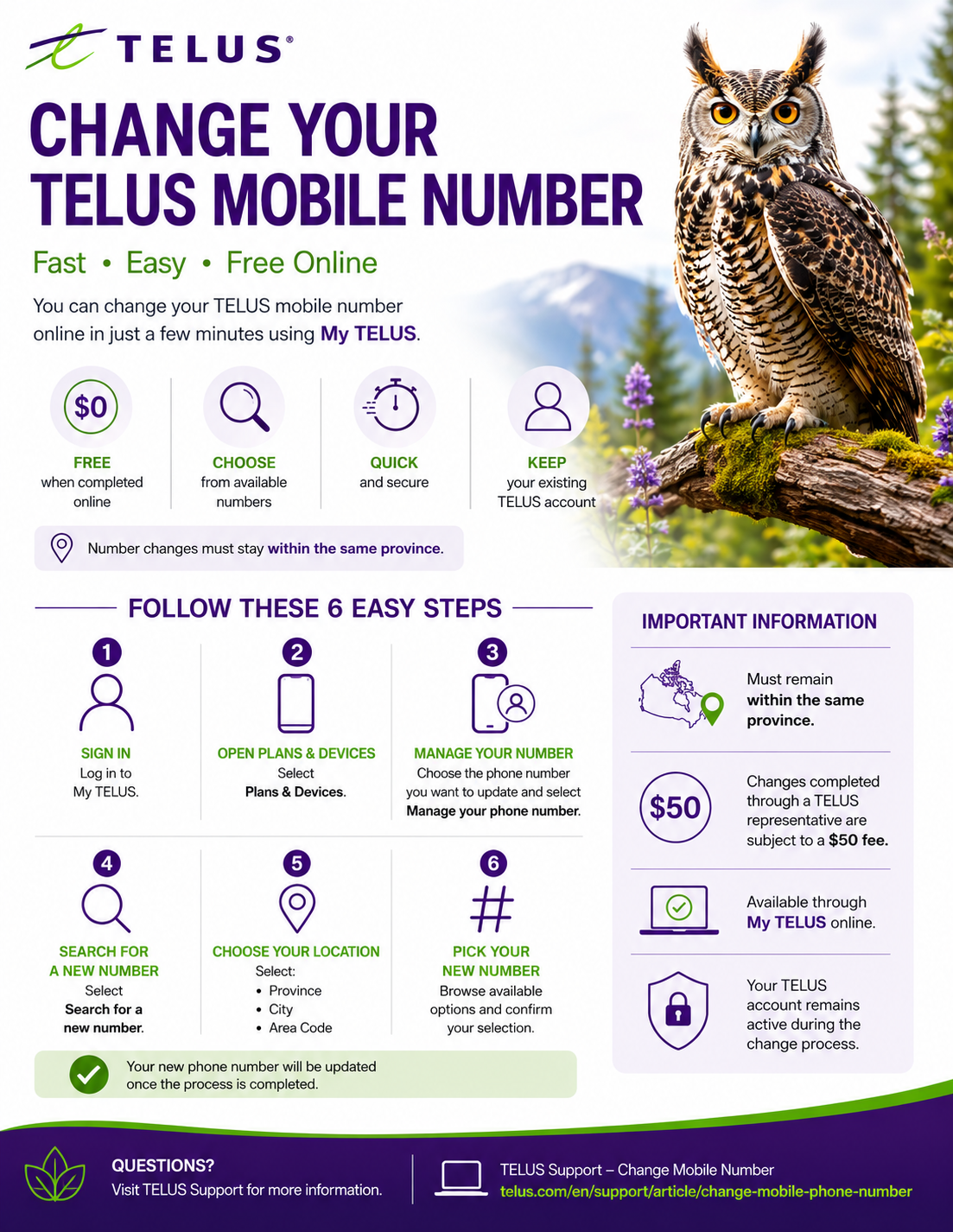
You can change your phone number within the same province, free of charge, using your online TELUS account. If you request to change your phone number with an agent, there will be a charge of $50.
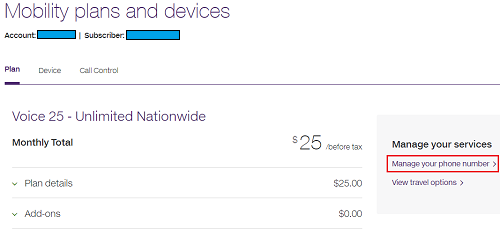
Step-by-step instructions to change your number. Log in to My TELUS Select Plans & devices

Select
Manage your phone number
. If you have multiple accounts with TELUS, please select the relevant account number. If you have multiple subscribers or phone numbers under the same account number, please select the phone number you want to change
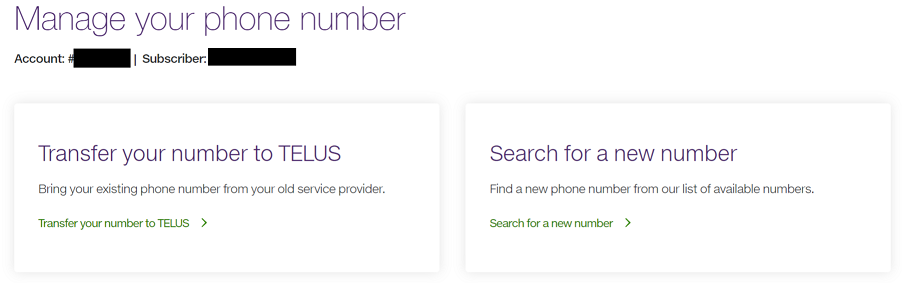
Select Search for a new number
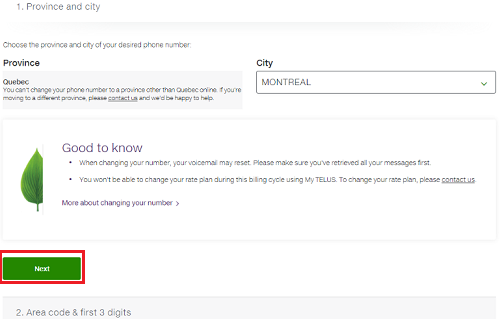
Select the Province and City from the available options and click Next
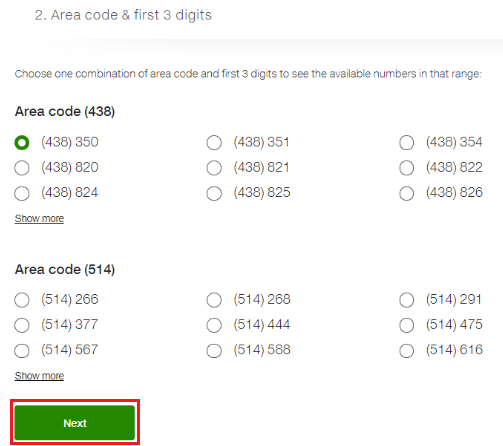
Select the area code and the first 3 digits from the available selections and click Next
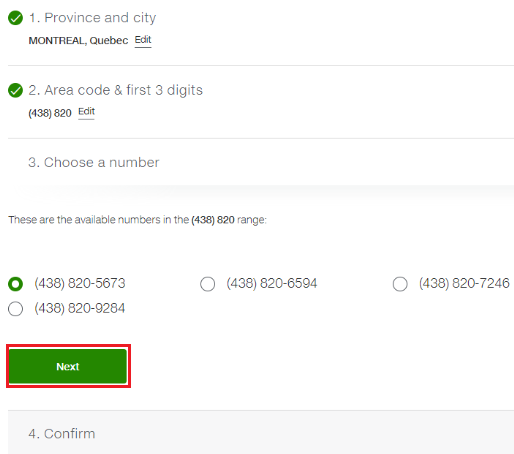
Choose a number from the list provided and select Next
Review the confirmation screen and select Confirm
Note:
A message will be displayed advising that the existing number will be released to the available numbers pool and the new number will be active within 15 minutes, and will suggest restarting your device.

